
Student attendance management software for every class and section
Class teachers mark attendance on a phone, the office sees the whole school at once, and parents hear when their child is absent.
- Present, absent, late and leave
- Student and staff attendance
- Monthly reports and percentages
- Absence alerts to parents
Why the attendance register falls short
Attendance is taken every day in every class, yet the paper register makes it hard to use for anything beyond a tick mark.
Registers cannot be read at a glance
To know how many students are absent today, someone has to walk from class to class or wait for every register to reach the office.
Percentages are counted by hand
Before every exam or parent meeting, class teachers count days present for each student and work out the percentage on paper.
Parents find out too late
A child who misses school without the parents knowing is a safety worry. With paper, the call often happens days later or not at all.
Staff attendance sits elsewhere
Teacher attendance is kept in another book, so leave and salary deductions are worked out from a separate set of records.
Attendance that the whole school can use
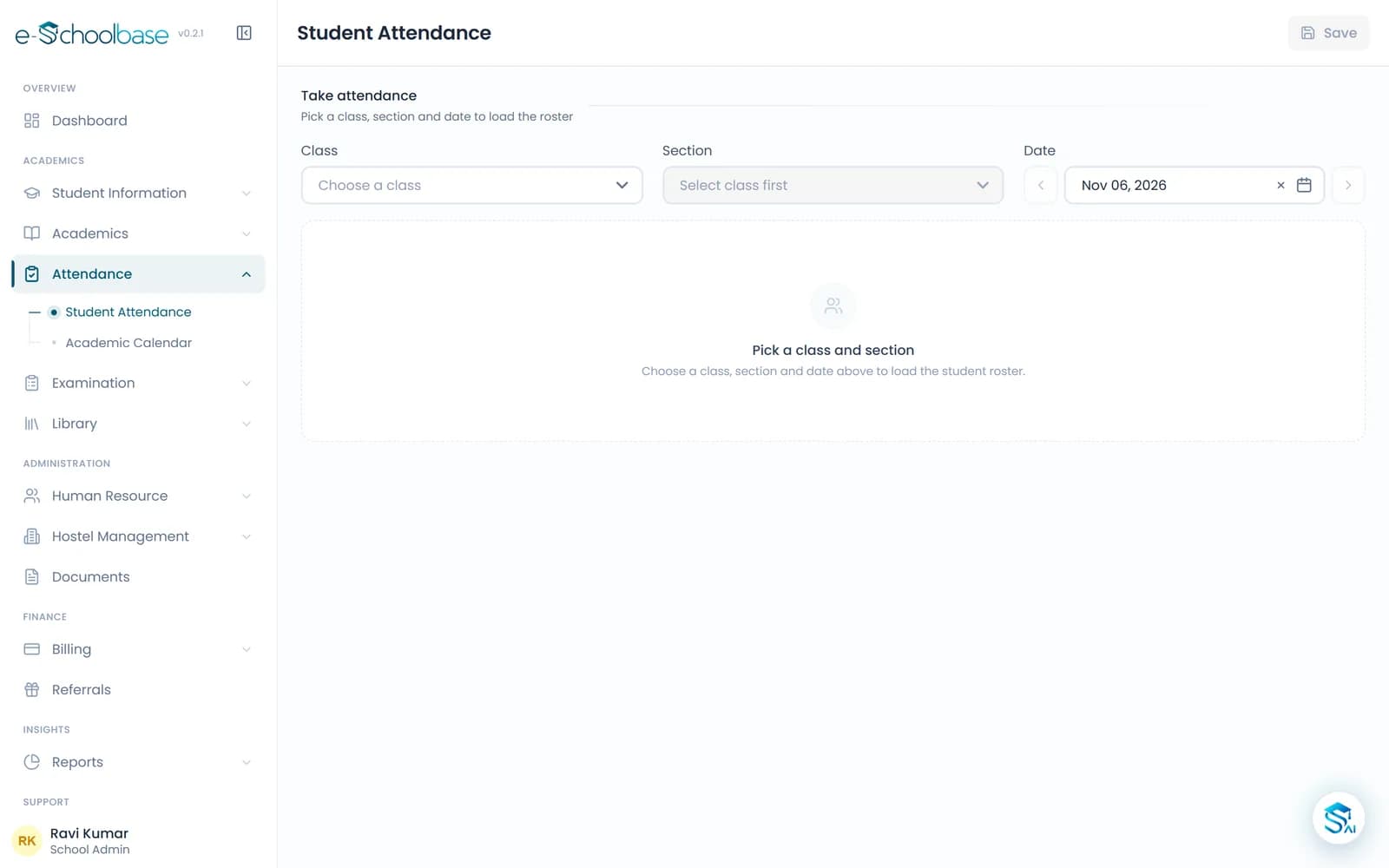
e-Schoolbase Attendance Management replaces the daily register with a class list on screen. The class teacher marks each student present, absent, late or on leave, and the record is saved for the school straight away.
Because the attendance sits with the student record, percentages and monthly reports build up on their own. The principal can see today’s attendance across classes, and parents can be told about an absence the same day.
Everything you need to track attendance
Classes and sections come from your student records, so there is nothing to set up twice.
Daily student attendance
Mark each student present, absent, late or on leave, class by class and section by section.
Staff attendance
Record teachers’ and staff attendance in the same system, ready for leave and payroll.
Class-wise records
Open any class and section to see its attendance for a day, a month or the whole session.
Leave management
Record student leave with dates and a reason, so an approved absence is never counted as a missing child.
Attendance percentage
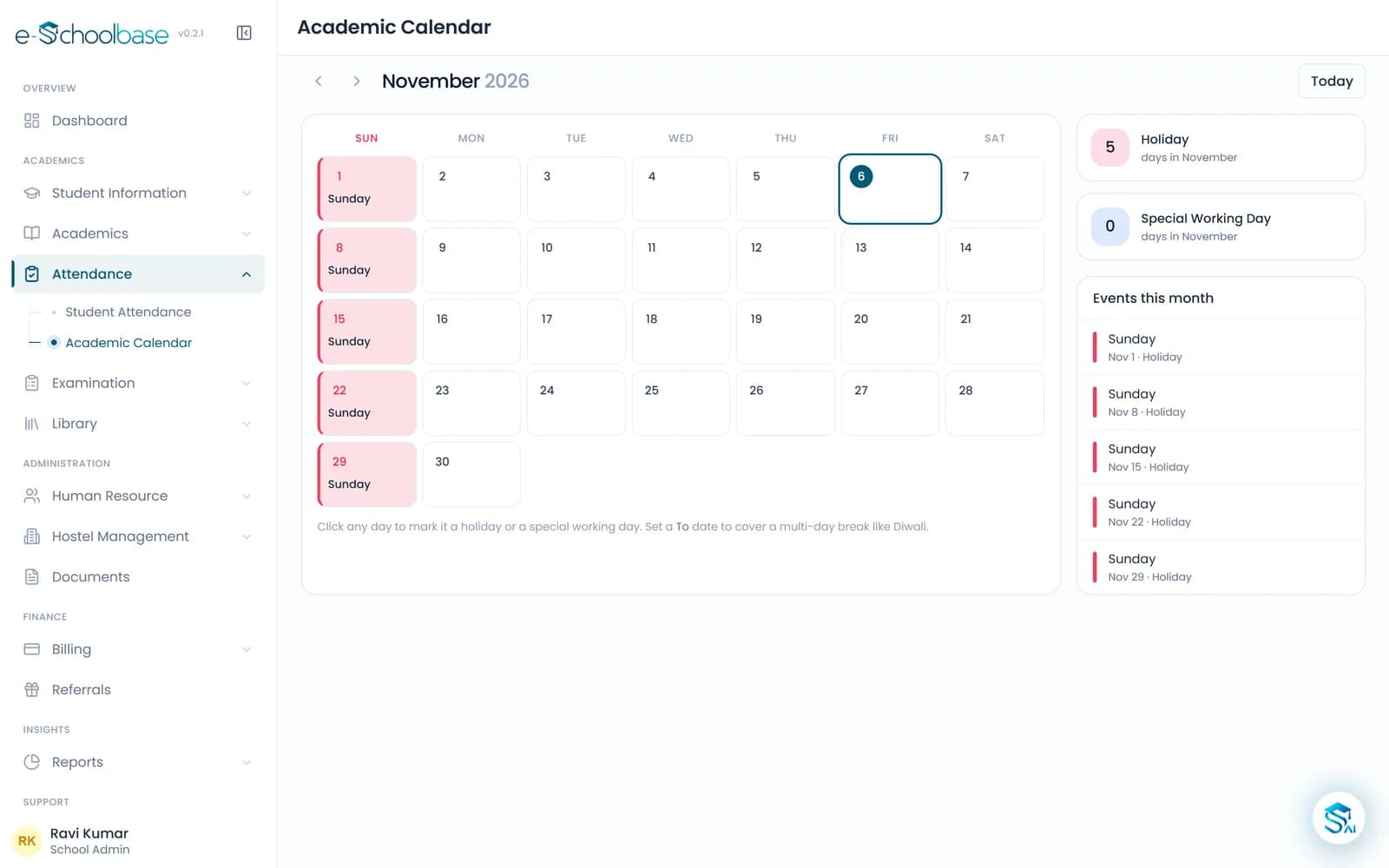
Each student’s percentage is worked out from the working days in your academic calendar.
Monthly reports
Monthly attendance reports by class, ready to print or share with the principal.
Parent notifications
Let parents know when their child is marked absent, so the family and the school are on the same page.
Biometric and RFID
Connect biometric or RFID attendance devices where supported, so attendance comes straight from the device.
See the attendance module
What changes for each person
Principals
- Today’s attendance for the whole school on one screen
- Students with low attendance spotted early
Teachers
- Attendance marked on a phone instead of a register
- No percentages to count before exams or meetings
Office and admin staff
- Monthly reports without collecting registers
- Staff attendance ready when payroll is run
Parents
- A message when their child is marked absent
- Their child’s attendance visible in the parent portal
How attendance management works
Set the calendar
Mark holidays and working days for the session, so percentages are counted on the right days.
Mark attendance daily
Class teachers open their class and mark each student, from a phone or the staff room computer.
Keep parents informed
Absences can be sent to parents and appear in their portal, along with leave you have recorded.
Review the reports
The principal and office check monthly reports and follow up with students whose attendance is slipping.
Who it is for
Day schools
Schools that take morning attendance in every class and want the total in the office quickly.
Schools with many sections
Schools with several sections in each class, where registers are hard to collect and compare.
Senior secondary schools
Schools that must keep an eye on attendance before board exams.
Schools with transport and hostels
Schools that need to know quickly which students are in school and which are not.
Works well with
School Communication
WhatsApp, SMS and email to parents and staff: circulars, attendance alerts, fee reminders and exam notices, with every message on record.
View School CommunicationParent & Student Portal
Parents and students see attendance, fees, homework, results, timetable and notices from their own login, with every child under one parent.
View Parent & Student PortalExamination & Results
Exam schedules, marks entry, grades, marksheets, report cards, ranks and result analysis, worked out from the marks teachers enter.
View Examination & ResultsStaff & Payroll
Staff profiles, departments, attendance and leave, salary structures, monthly payroll and printable payslips for teaching and support staff.
View Staff & Payroll
Attendance management questions
See daily attendance in e-Schoolbase
Book a free demo and we will mark attendance for a sample class, then show the monthly report and a parent alert.