
School examination management software, from timetable to report card
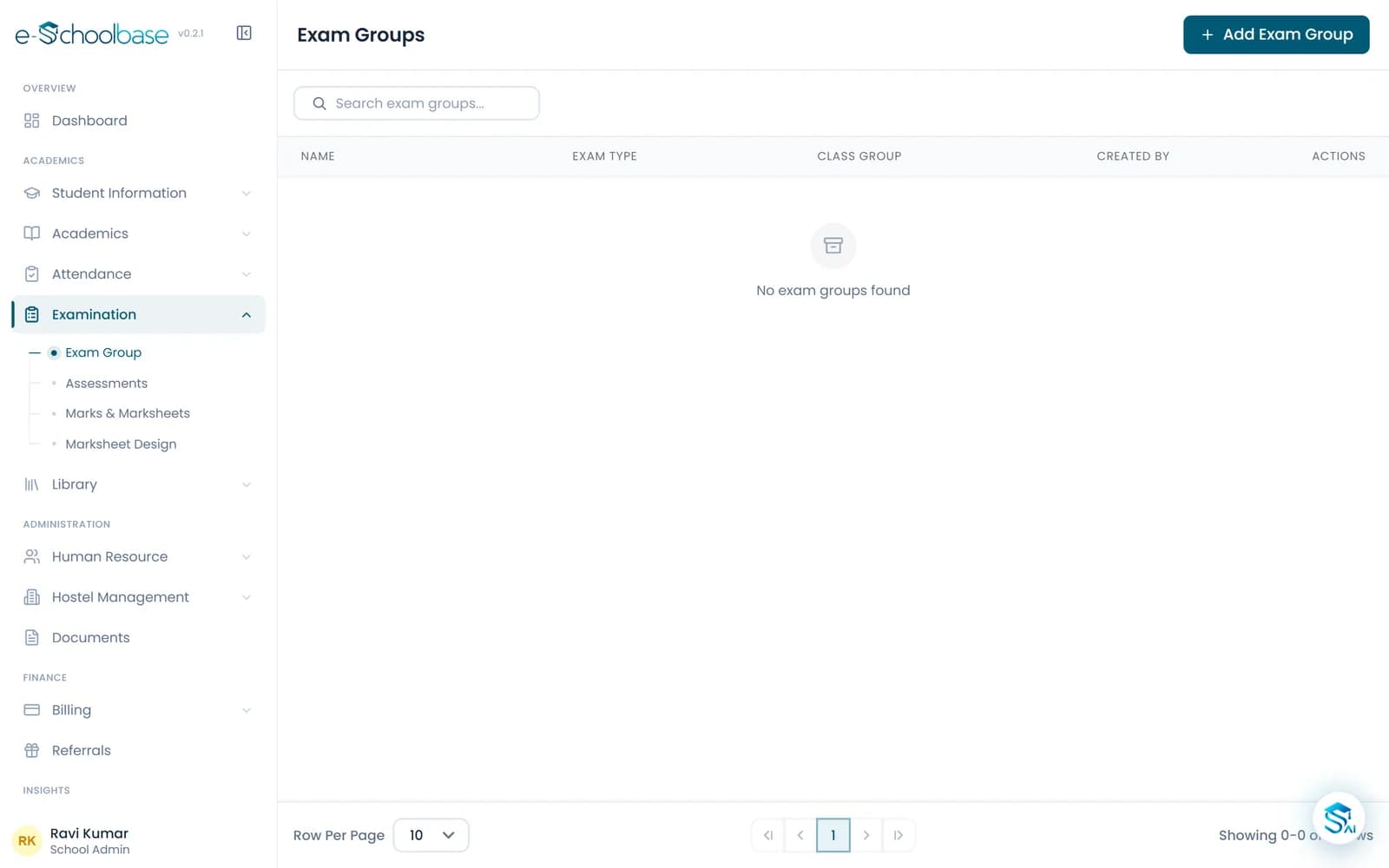
Plan each exam, let teachers enter marks for their own subjects, and print marksheets and report cards without retyping a single number.
- Exam schedules and marks entry
- Grades and percentages worked out
- Custom marksheets and report cards
- Ranks, merit lists and analysis
Why result season is so hard
Most schools still collect marks on paper, copy them into a spreadsheet and then type them again onto marksheets. Every copy is a chance for an error.
Marks are copied too many times
From the answer sheet to the register, from the register to a spreadsheet, from the spreadsheet to the marksheet. One slip and a child gets the wrong result.
Totals are done by hand
Class teachers add up marks and work out percentages and grades late into the evening, and a second teacher has to check every sheet.
Marksheets take days to prepare
Formatting a marksheet in a word processor for every student is slow, and the layout drifts from one class to the next.
Nobody looks at the results again
Once the report cards go home, the marks sit in a file. There is no easy way to see which subject or section needs attention.
Marks entered once, used everywhere
e-Schoolbase Examination & Results keeps every exam of the session in one place. You set up the exam, its subjects and maximum marks; teachers enter marks for the classes they teach; the system works out totals, percentages, grades and ranks.
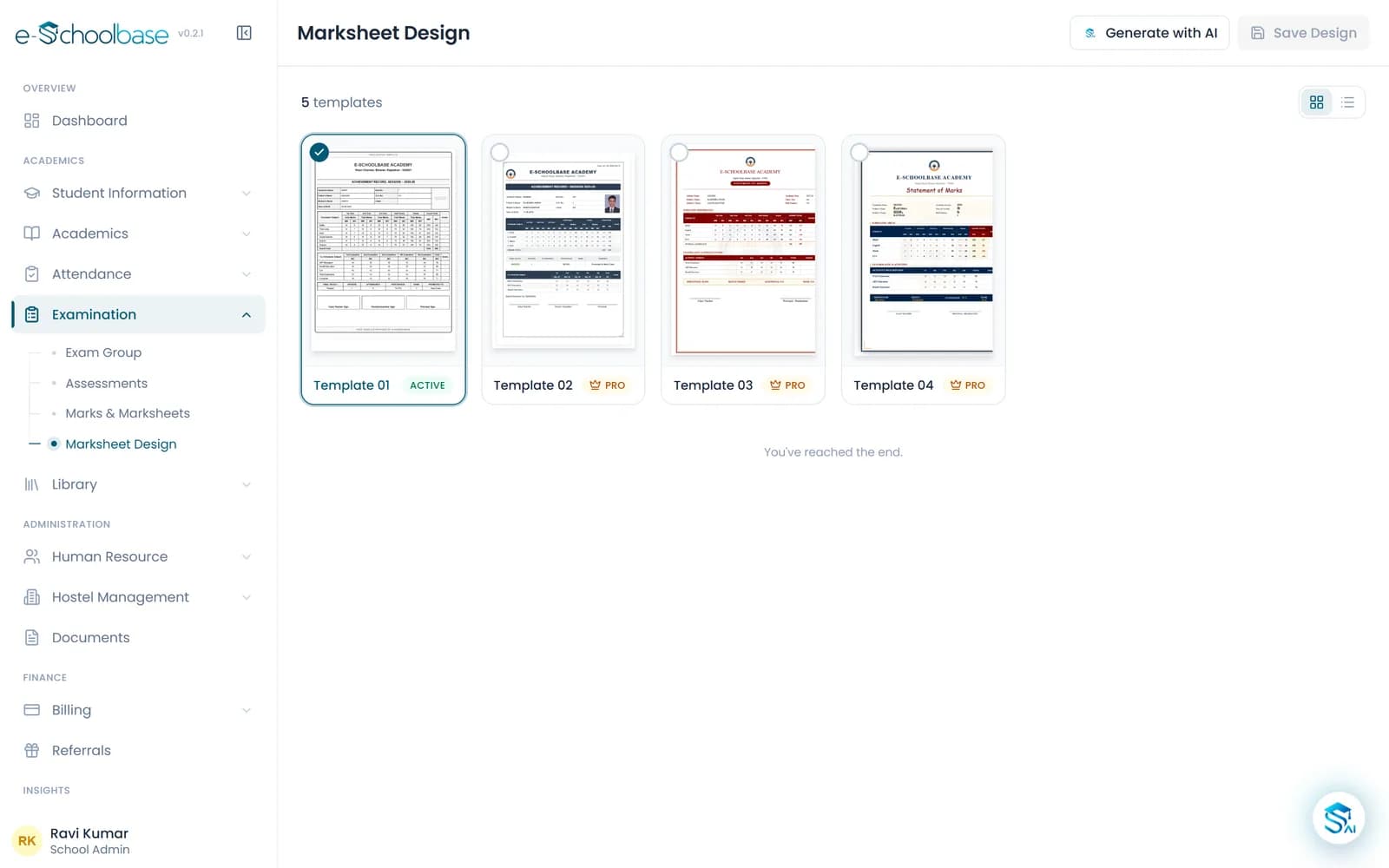
The same marks then fill the marksheet, the report card and the merit list. You choose a marksheet design and adjust it to your school, so every class prints in the same layout.
Assessment structures differ between CBSE and state boards, and between schools. You set up the exams and grading your school actually follows, and RBSE (Rajasthan Board) formats are available where supported.
Everything you need for exams and results
Set up the exam pattern at the start of the session. After that, each exam follows the same path.
Exam scheduling
Create unit tests, half-yearly and annual exams, with subjects, dates and maximum marks for each class.
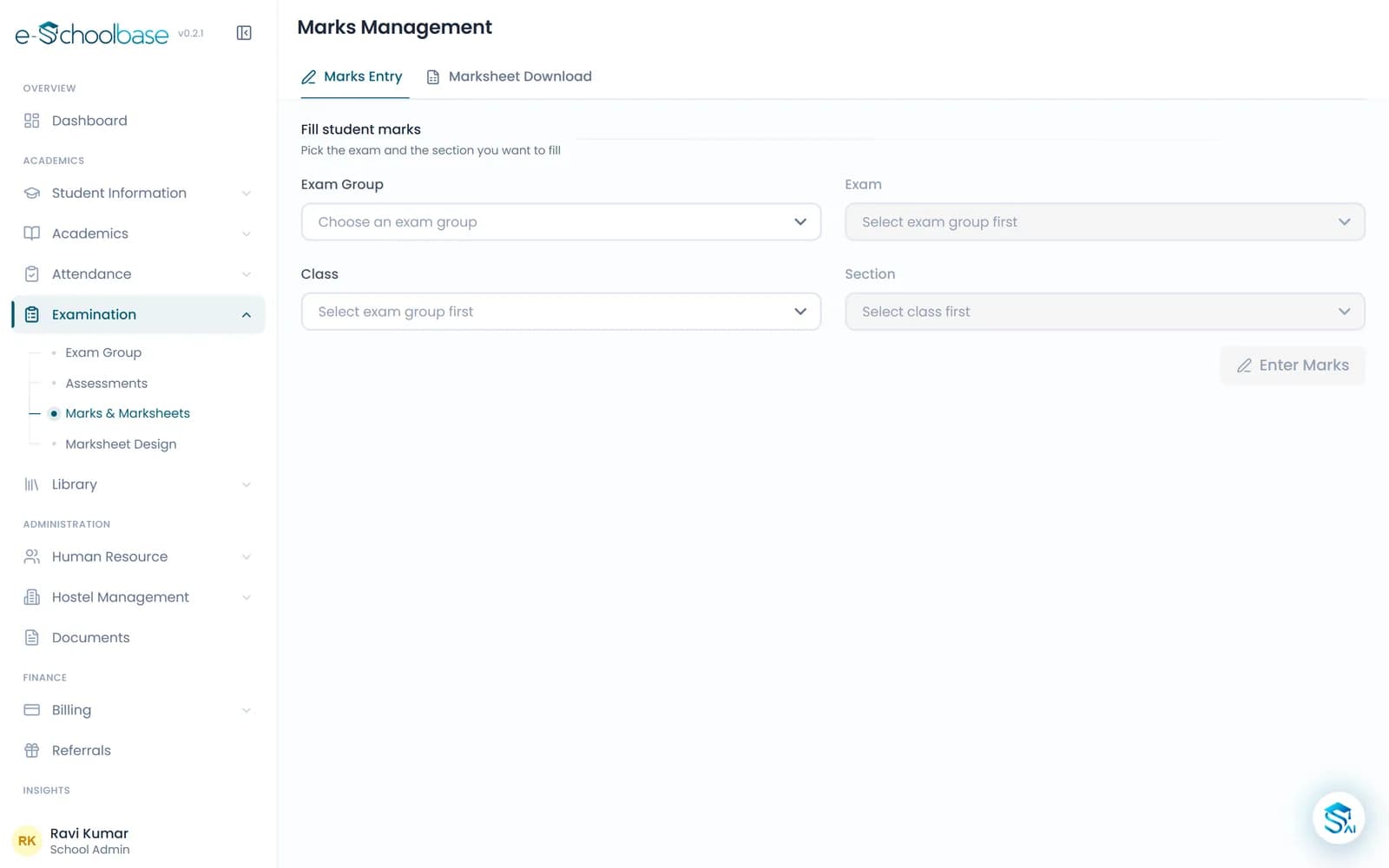
Marks entry
Teachers enter marks subject by subject for their own classes, on a screen laid out like the class list.
Grades and percentages
Totals, percentages and grades are worked out from your grading scale, so nobody adds up a column by hand.
Customisable marksheets
Pick a marksheet design from the gallery and adjust it with your school name, logo and the fields you need.
Report cards
Bring several exams together into one report card for the term or the full session.
Result analysis
See how a class, section or subject did, and spot where students need more help before the next exam.
Rank and merit lists
Class and section ranks and merit lists, ready for the notice board or the prize-giving day.
Board formats
Follow the assessment structure your board uses, with RBSE (Rajasthan Board) formats where supported.
Print in bulk
Print marksheets and report cards for a whole class at once, in the same layout every time.
See the examination module
What changes for each person
Principals
- Results for every class and subject on one screen
- A clear view of which sections need attention
- Marksheets that look the same across the school
Teachers
- Marks entered once, with no totals to add up
- No marksheets to format by hand at the end of term
Office and admin staff
- Report cards printed class by class, ready to hand out
- Merit lists ready when the principal asks for them
Parents
- A clear, well-laid-out report card
- Results they can also see in the parent portal
How examination management works
Set up the exam pattern
Add the exams for the session, their subjects, maximum marks and your grading scale.
Schedule each exam
Fix the dates for each class and share the timetable with teachers and students.
Enter marks
After the papers are checked, each teacher enters marks for the classes and subjects they teach.
Publish results
Review the totals, grades and ranks, then print marksheets, report cards and merit lists.
Who it is for
CBSE schools
Schools that follow the CBSE assessment pattern with periodic tests and term exams.
RBSE and other state board schools
Schools in Rajasthan and other states that follow their own board’s exams and marksheet layout.
Primary and middle schools
Schools that report grades rather than marks in the junior classes.
Senior secondary schools
Schools with streams and electives, where each student’s subjects differ.
Works well with
Attendance Management
Daily student and staff attendance by class and section, leave, attendance percentages and monthly reports, with parents kept informed.
View Attendance ManagementLearning Management System (LMS)
Study materials, video lessons, homework, quizzes and teacher feedback for every class, in the same system as attendance and exams.
View Learning Management System (LMS)Parent & Student Portal
Parents and students see attendance, fees, homework, results, timetable and notices from their own login, with every child under one parent.
View Parent & Student PortalCalendar & Events
The academic year on one calendar: holidays, working days, exams, events and parent-teacher meetings, shared with parents and staff.
View Calendar & Events
Examination and results questions
See your result season in e-Schoolbase
Book a free demo and we will take a sample class from exam setup to a printed marksheet, using your board’s pattern.