
School academic calendar software for the whole year
Plan holidays, working days, exams and events once, and let parents and staff see the same calendar instead of asking the office.
- Holidays and working days
- Exam dates and events
- Parent-teacher meetings
- Reminders for parents and staff
Why the school year is hard to keep track of
The academic plan is usually made in April, printed once, and then changed many times over the year.
The printed calendar goes out of date
A holiday moves or an exam is rescheduled, and the diary page or notice-board sheet is wrong from that day on.
Attendance counts the wrong days
When holidays are kept apart from attendance, working-day totals and attendance percentages have to be corrected by hand.
Parents keep calling the office
Is tomorrow a holiday? When is the PTM? Each question takes a call because there is no calendar parents can open themselves.
Events clash
A sports day is planned in the same week as unit tests because the people planning them work from different lists.
One calendar the whole school works from
e-Schoolbase Calendar & Events keeps the academic year in one place: holidays, working days, examinations, events and meetings. The office sets it up for the session, and every change made there is the change everyone sees.
The calendar is part of the school system, not a separate file. Holidays you mark are taken into account when attendance is calculated, and parents and staff can see the dates that concern them without waiting for a circular.
Everything that belongs on the school calendar
Set the session up once, then add and move dates as the year unfolds.
Academic calendar
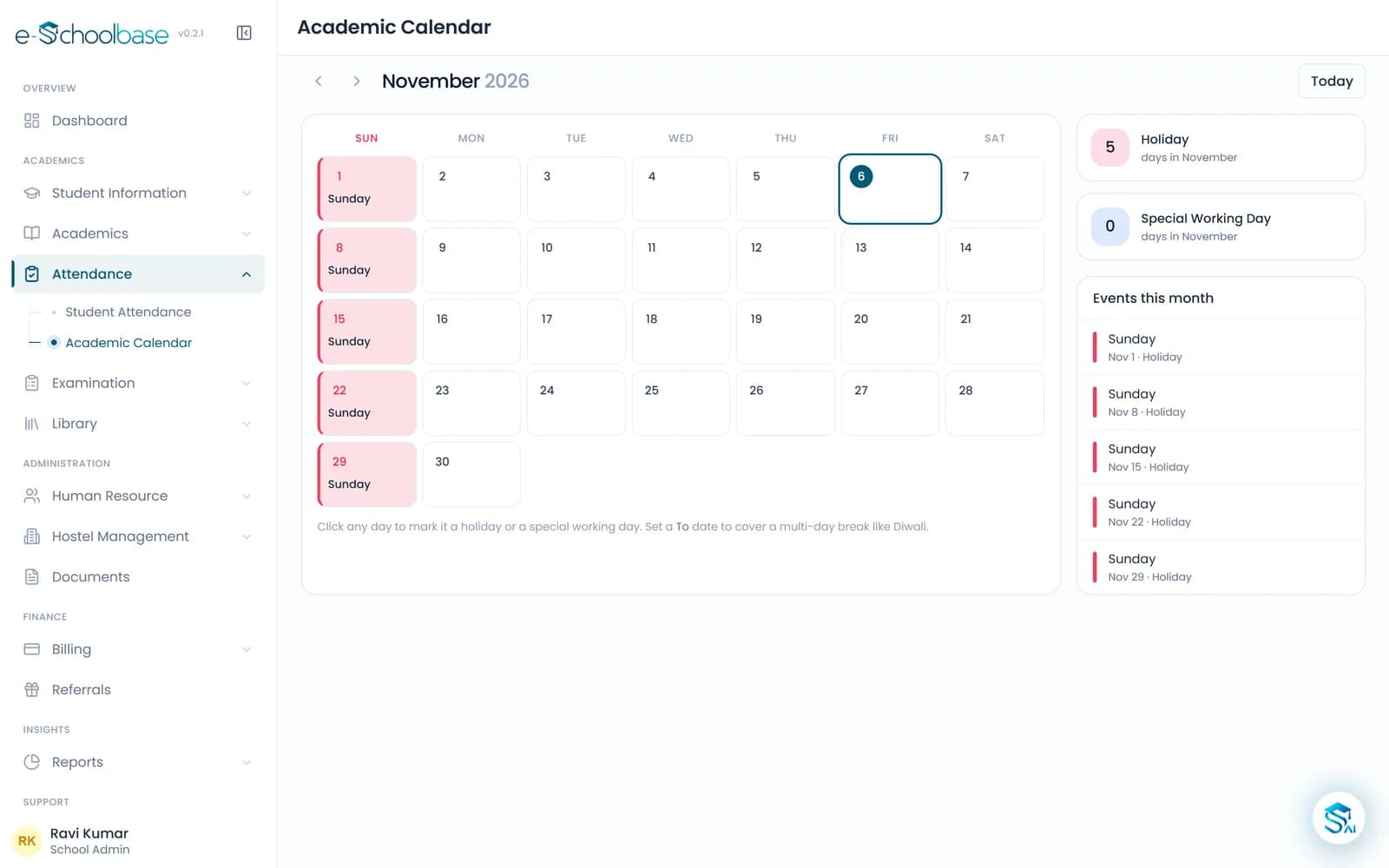
The whole session on one calendar, from the first day of term to the last, by month or by week.
Working days and holidays
Mark holidays and working days once. Attendance uses them, so percentages count only the days school was open.
Examination dates
Put unit tests, term exams and practicals on the calendar so classes and teachers can plan around them.
School events
Annual day, festivals, assemblies and trips, each with its date, time and the classes involved.
Parent-teacher meetings
Schedule PTMs for the whole school or chosen classes, so parents know the date well in advance.
Sports and extracurricular events
Sports days, competitions, clubs and house activities alongside the academic dates.
Notifications and reminders
Remind parents and staff ahead of holidays, exams and events, so nobody is caught out.
Parent and staff access
Parents see the dates that apply to their child; staff see the full calendar for planning.
See the calendar
What changes for each person
Principals
- The whole year’s plan on one screen
- Clashes between exams and events spotted before they happen
Teachers
- Exam dates and events known in time to plan lessons
- No need to ask the office whether a day is a holiday
Office and admin staff
- Fewer phone calls asking about holidays and meetings
- Attendance totals that already account for holidays
Parents
- Holidays, exams and PTMs they can check themselves
- Reminders before the dates that matter
How the school calendar works
Set up the session
Enter the session’s start and end, weekly offs and the holiday list at the start of the year.
Add exams and events
Put examinations, PTMs, sports days and other events on the calendar as they are planned.
Share and remind
Parents and staff see the calendar, and reminders go out before the important dates.
Update as the year changes
Move a holiday or an exam once, and everyone sees the new date straight away.
Who it is for
Schools with a busy event year
Schools that run annual days, festivals, sports meets and inter-house competitions every session.
CBSE and state board schools
Schools that plan unit tests and term exams around the board’s schedule and local holidays.
Schools that announce many holidays at short notice
Schools where weather, local festivals or government orders change the calendar during the year.
Multi-branch school groups
Managements that want each branch’s calendar visible and planned the same way.
Works well with
Examination & Results
Exam schedules, marks entry, grades, marksheets, report cards, ranks and result analysis, worked out from the marks teachers enter.
View Examination & ResultsSchool Communication
WhatsApp, SMS and email to parents and staff: circulars, attendance alerts, fee reminders and exam notices, with every message on record.
View School CommunicationAttendance Management
Daily student and staff attendance by class and section, leave, attendance percentages and monthly reports, with parents kept informed.
View Attendance ManagementParent & Student Portal
Parents and students see attendance, fees, homework, results, timetable and notices from their own login, with every child under one parent.
View Parent & Student Portal
Calendar and events questions
See your school year in e-Schoolbase
Book a free demo and we will set up a sample session with holidays, exams and events to show you how it works.